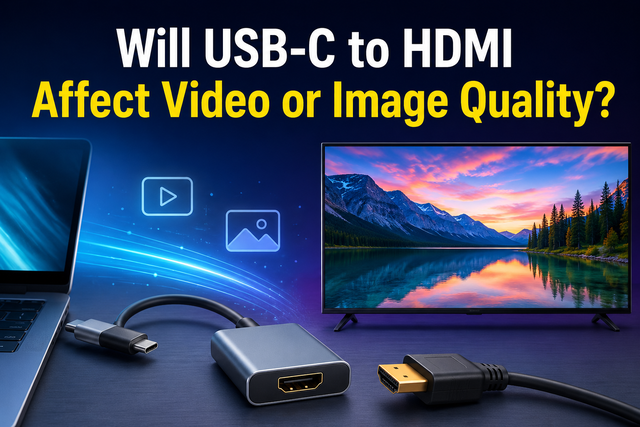
Will USB-C to HDMI Affect Video or Image Quality?
Quick answer! Using a USB-C to HDMI adapter does not inherently degrade image quality.
Unlike older analog connections (VGA), USB-C transmits digital data packets. A binary “one” remains a “one,” meaning you will not see static, ghosting, or “snow”.
However, while the clarity remains perfect, the smoothness (refresh rate) often suffers. If you buy a budget adapter, you might be capped at 30Hz, making your mouse movement look choppy compared to a direct HDMI connection.
Here is the engineering reality behind selecting the right MacBook HDMI dongle or Windows dock to ensure you get the full 4K 60Hz experience.
Table of Content
How Does USB-C to HDMI Work?
To understand quality, you must understand the “Lane Economy.” A standard USB-C connector has four high-speed “lanes” for transmitting data.
When you connect a Thunderbolt to HDMI adapter or standard USB-C hub, the device negotiates with your laptop.
- Video-First Mode: It uses all four lanes for video, delivering a perfect 4K 60Hz signal (identical to native HDMI).
- Data-First Mode: If the hub also has USB 3.0 ports, it steals two lanes for data. This leaves only half the bandwidth for video, often forcing the resolution down to 4K 30Hz.
Why Does My 4K Monitor Look Choppy or Fuzzy with An Adapter?
If your expensive monitor looks worse when plugged into a hub, it is rarely a defect. It is usually a bandwidth bottleneck.
The Adapter’s Specs (The 30Hz Trap)
This is the most common issue. Many generic USB-C-to-multiport adapters are limited to 4K at 30Hz.
- The Symptom: Your mouse cursor stutters across the screen, and scrolling web pages feels laggy.
- The Cause: The adapter is prioritizing USB data transfer over video fluidity. For static spreadsheets, this is fine. For movies or gaming, it is visually jarring.
The “Blurry Text” Issue (Chroma Subsampling)
If the text on your screen looks washed out or has colored fringing (especially red or blue text), your adapter is compressing color data.
It can happen when a 4K signal is squeezed through a small pipe, the adapter drops from “4:4:4” (full color) to “4:2:0” (compressed color). This saves bandwidth but makes fine text look fuzzy.
The Laptop Port
Not all USB-C ports are equal. If you are using an older laptop with DisplayPort 1.2, it physically cannot send enough data for 4K 60Hz and USB 3.0 simultaneously.
Newer laptops with DisplayPort 1.4 use compression (DSC) to solve this, allowing high quality even through multi-port hubs.
“I need HDMI, but I also need to charge my laptop!”
If you need a USB-C to HDMI multiport adapter that balances video quality with connectivity, you must choose based on your workflow.
Huntkey’s docking stations are engineered with heat-dissipating aluminum alloy shells to prevent the thermal throttling that causes signal dropouts in plastic adapters.
|
|
Huntkey 8-in-1 Dock |
Huntkey 6-in-1 Dock |
Huntkey 4-in-1 Dock |
| HDMI Resolution | 4K @ 30Hz | 4K @ 60Hz | 4K @ 30Hz |
| USB Data | USB 3.0 + Ethernet | USB 3.0 | USB 3.0 |
| Chassis | Aluminum Alloy | Aluminum Alloy | Aluminum Alloy |
| Best Use Case | Office productivity (Spreadsheets, Static Data) | Multimedia & Design (Video, Smooth UI) | Basic connectivity (Travel) |
For the Video Purist: 60Hz Fluidity
If your work involves video editing, graphic design, or you simply demand that your mouse movement feels buttery smooth, you cannot compromise on refresh rate.
The Huntkey 6-in-1 USB-C Docking Station is engineered specifically for this “Video-First” requirement.
The 6-in-1 in docking station supports a Max Resolution of 4K @ 60Hz. By prioritizing video throughput, it ensures you see every frame without the stutter or lag associated with lesser adapters, making it the ideal companion for high-end monitors.
For the Office Power User: Maximum Connectivity
For those who live in spreadsheets and need to turn a laptop into a desktop workstation, the Huntkey 8-in-1 USB-C Docking Station offers the ultimate trade-off.
It balances a 4K 30Hz video output with high-speed data capabilities, including Gigabit Ethernet for stable internet and multiple USB 3.0 ports for rapid file transfers.
Crucially, it features 100W PD Charging pass-through, allowing you to power your laptop, connect to the network, and drive an external screen all through a single cable.
For the Minimalist Traveler
When space is at a premium, the Huntkey 4-in-1 USB-C Docking Station strips away the bulk while keeping the essentials. It provides that critical HDMI link for hotel room presentations or movie nights, along with USB-A connectivity for your peripherals, all in a compact form factor that disappears into a laptop bag.
Conclusion
Does the adapter affect quality? Only if you buy the wrong one.
Upgrade your workspace today. Check your laptop specs, define your needs, and visit Huntkey for better PC gear.